✨ New Features
Media Effects for Images & Videos
The headline feature of this release — Image and Video draggables can now have visual effects applied directly, without needing any external editing tools. Effects are organised into six categories:
- Transparency Effects: Chroma Key removes a background colour (think green-screen), and Mask uses an image to define which areas of the media are visible — great for shaped or framed content.
- Colour Adjustments: Choose from ready-made presets (Grayscale, Sepia, Vintage, Warm, Cool, Filmic and more) or fine-tune manually with controls for Exposure, Brightness, Contrast, Saturation, Temperature, Tint and others.
- Stylisation Effects: Vignette darkens the edges to draw focus inward. Posterize gives a bold, flat graphic look. Edge Highlight adds a stylised outline effect.
- Fidelity Effects: Pixelate for a retro blocky style, or Blur for a soft-focus appearance.
- Animated Effects: CRT simulates an old TV display with scanlines and noise. Hologram applies a sci-fi glowing hologram look with animated lines and particles.
- Border Effects: Bevel adds a 3D-style raised edge. Outer Glow adds a coloured halo around the media. Drop Shadow adds a configurable directional shadow.
Chroma Key and Mask effects are also available on Browser draggables.
Keyboard & Keypad Draggables
Two new interactive input components have been added to the platform:
- Keypad: A numeric pad that lets users enter values, which are then stored as an Atom — useful for PIN entry, number-based puzzles, or any scenario requiring numeric input.
- Keyboard: A full on-screen keyboard for text input, also stored as an Atom.
- Both components are fully themeable and can have their visuals customised on a per-draggable basis. Valid input characters can also be restricted as needed.

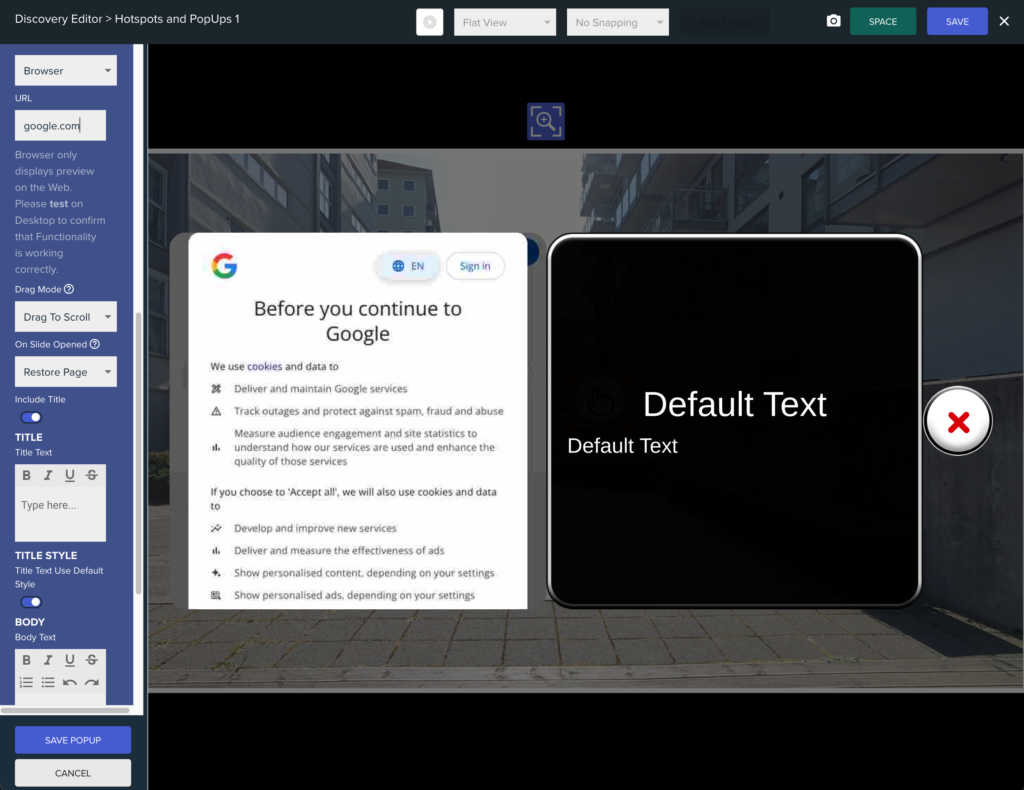
Split PopUp — Browser Media Slide (v2.64.4)
- Split PopUps can now include a Browser-type media slide, allowing a live web view to be embedded within a PopUp. This can be applied per slide or across the entire PopUp, and supports the same settings as the standalone Browser PopUp.
🐛 Bug Fixes
- Keypad & Keyboard: Fixed an issue where these draggables were not being fully disabled when triggered via an Atom. The Keyboard also had an unused internal property removed.
- Hotspot & Multi Hotspot Tabs: These are now grouped together in the editor panel for a cleaner layout.
- Background Video Time Atom: Fixed an issue where this Atom was not being updated correctly on Web.
- Hotspot crash: Fixed a crash that could occur if a Hotspot incorrectly became a child of two Multi Hotspots simultaneously.
- Multi Select Quiz: “Hide Correct Answers” setting now works correctly.
- Split PopUps: Fixed several issues that could prevent Split PopUps from working properly.
- Theme fixes: Region Hotspot glow is now correctly reset when changing settings. The theme now properly restores when exiting Play Mode in the Unity Editor.
- Reorderable Lists: Fixed issues that could cause a crash on startup. Quiz loading performance also improved.
- Display Masking: Fixed several visual masking issues affecting Target Points, Sliding Locks, the Atom Debug Menu, and the Create Draggable Radial Menu.
⚙️ Atom Expression Upgrades (v2.64.6)
Polymer Methods
A set of new methods can now be called directly on entire Polymer collections inside Atom Expressions, making it much easier to work with lists of values without needing complex manual logic:
- .Length() — count of items in the Polymer.
- .Sum() — total of all numeric values.
- .Min() / .Max() — smallest or largest value.
- .Mean() / .Median() — average or middle value.
- .Contains(value) — check whether a value exists in the Polymer.
- .Join() — concatenate all values into a single string.
- RandomRange(min, max) and RandomInt(min, max) — generate random decimal or integer values within a range.
Atom Expression Definition System
- Atom Tokens can now be pre-defined and structured inside a FlexMagic File, allowing complex expressions to be written and maintained more easily.
⚙️ Atom Expression Upgrades (v2.64.6)
Polymer Methods
A set of new methods can now be called directly on entire Polymer collections inside Atom Expressions, making it much easier to work with lists of values:
- .Length() — count of items in the Polymer.
- .Sum() — total of all numeric values.
- .Min() / .Max() — smallest or largest value.
- .Mean() / .Median() — average or middle value.
- .Contains(value) — check whether a specific value exists in the Polymer.
- .Join() — concatenate all values into a single string.
- RandomRange(min, max) and RandomInt(min, max) — generate random decimal or whole-number values within a defined range.
Atom Expression Definition System
- Atom Tokens can now be pre-defined and structured inside a FlexMagic File, making it easier to write and maintain complex expressions across a project.