New Features
Target Point Linking System
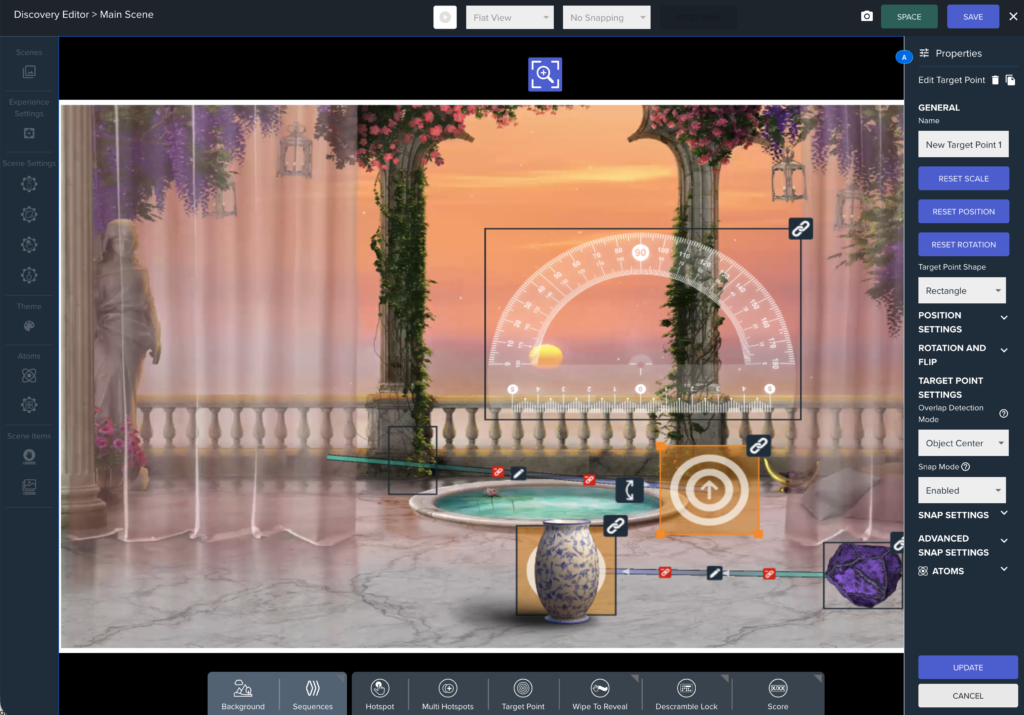
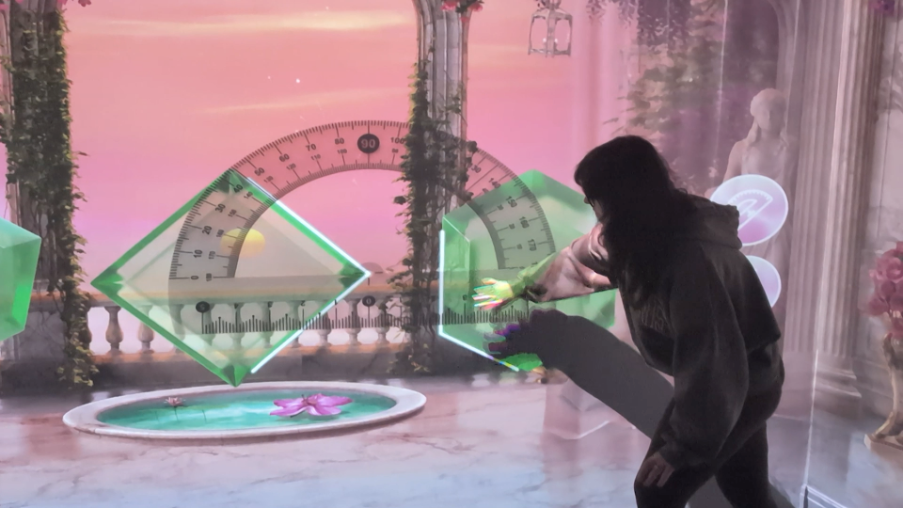
The headline feature of this release — a powerful new system that lets you define target areas in your scene and automatically trigger actions (such as popups, scene links, or audio) when a draggable object reaches them.
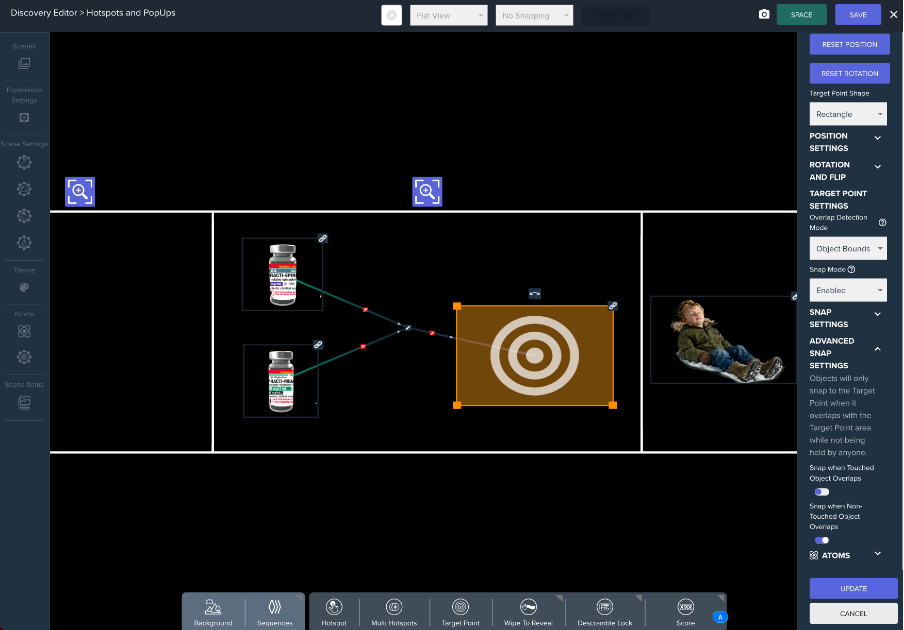
- Connect draggables to target points using an intuitive gizmo — linking lines are drawn in the scene to show which objects are connected.
- Overlap Detection Modes: Choose whether an action fires when any part of the object overlaps the target (Object Bounds), or only when the object’s centre reaches it (Object Centre).
- Snap Mode: Optionally snap draggables to the centre of a target point on contact. Supports limits on how many objects can be snapped at once, with stack styles of Pile or Cards.
- Force Detachment: Fire an Atom expression to detach all snapped objects programmatically.
- Atom Setters to track the last object that entered, exited, snapped, or detached from a target point.
- Audio & event hooks for on-enter, on-exit, on-snap, and on-detach moments.
- Supported link actions: Experience Link, Scene Link, Popup, Reset Position, Disappear.
- New Int Atom Picker to count how many objects are currently snapped to a target point.
- Target point icon updates to show an upward arrow when rotation-based snapping is active.

Swipe / Drag Navigation for PopUps
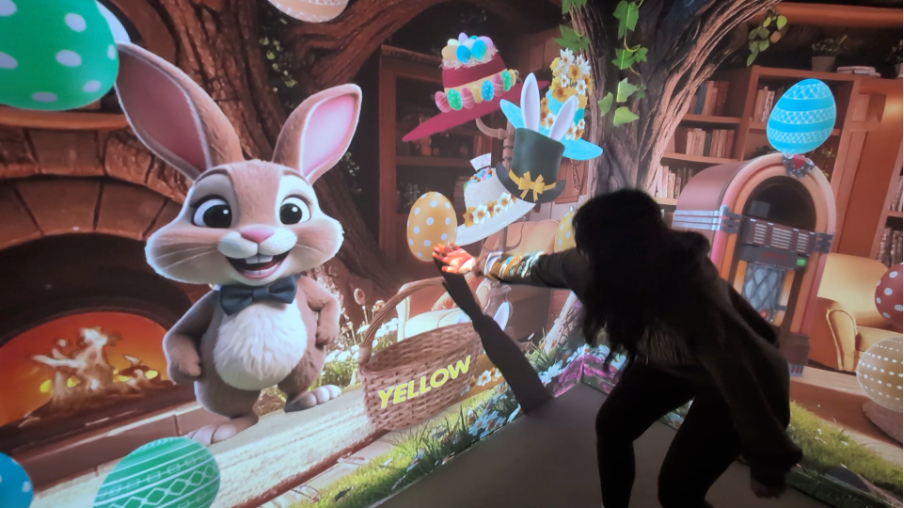
- Users can now swipe or drag to move between slides inside a PopUp — no need to tap the arrow buttons.
Quiz Drag-and-Drop Support
All three interactive quiz types now support both tap-to-select and drag-and-drop interactions:
- Categorization Quiz: Move items between categories by tapping or dragging.
- Labelling Quiz: Place labels on their targets by tapping or dragging.
- Sequence Quiz: Rearrange items into the correct order by tapping or dragging.
Rotation & Movement Improvements
- New Atom Picker option to read and write the rotation of Draggables.
- Fixed: Rotation of a Draggable can now be set via Atoms even when Movement Type is set to Physics Movement.
- New Constrain to Area setting for Physics Interaction — draw a custom rectangular boundary to keep a Draggable within a defined region.
- Draggables using Physics Movement no longer spin when picked up by the user.
Bug Fixes
- ThingLink: Certain ThingLink URLs that previously failed to load now work correctly. Rotation buttons have also been added to ThingLink Scenes so users can rotate to view the full scene.
- Image/Video Draggables: These no longer accidentally fire OnTap Atom Setters while an Intro or End Sequence is open.
- Sequence Quiz: Fixed missing move arrows and an issue where quiz elements could get stuck.
- PopUp Preview Gizmos: Now correctly scaled for Labelling Quiz and Content Picker PopUps.
- Target Point — Force Detachment: Force Detach expression is now hidden when Snap Mode is set to Disabled. Force Detachment also works correctly in mixed snap-on-overlap configurations. Trigger Atom support added for Force Detachment.
- Target Point — Is Enabled Expression: Now works as expected; disabling a target point will detach any snapped objects and block new snaps until re-enabled.
- Target Point — Object Centre overlap: The target point’s own rotation is now correctly taken into account when using Object Centre overlap detection.
- Target Point — Audio Clips: Audio clips assigned to target point link events are no longer shared between separate links.
🔗 ThingLink Updates (v2.63.4)
- ThingLink scenes can now be displayed as either a cubemap (360° view) or a standard 2D scene — giving you more control over how ThingLink content appears in your experience.
- ThingLink cubemap URLs are now correctly recognised when the URL includes path types such as “card”, “coursecard”, “video”, and similar variants.